
Pagebee Builder for Mac · Free
Build your idea
by talking to it
A free Mac app that teaches you to build software with an AI coding agent. Plan your idea together in a chat, press Build it, and see it running on your Mac. More unlocks as you go, right up to launch.
Start in five minutes. No coding, no Terminal, and no cloud accounts until you launch.
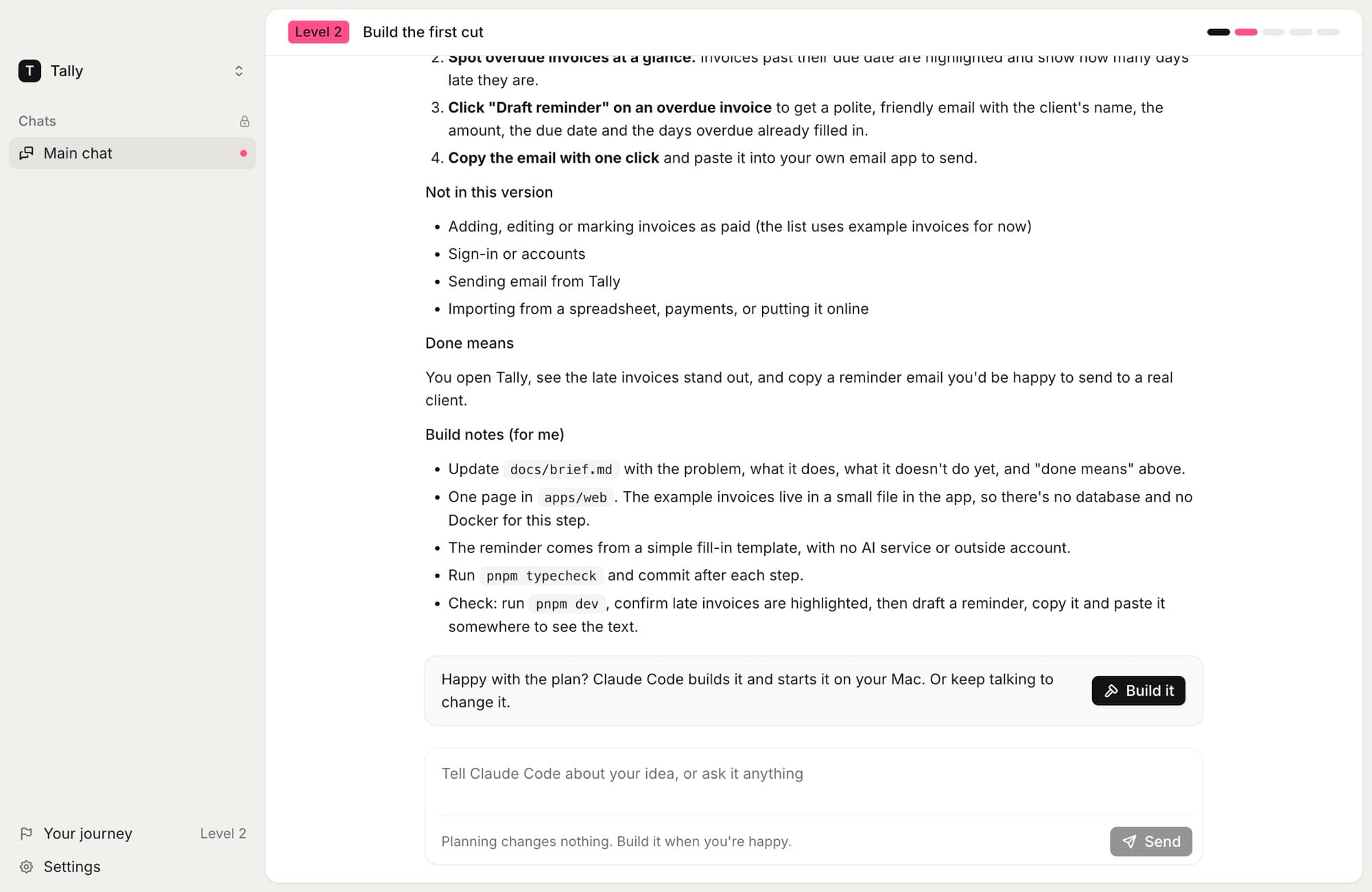
Start in five minutes
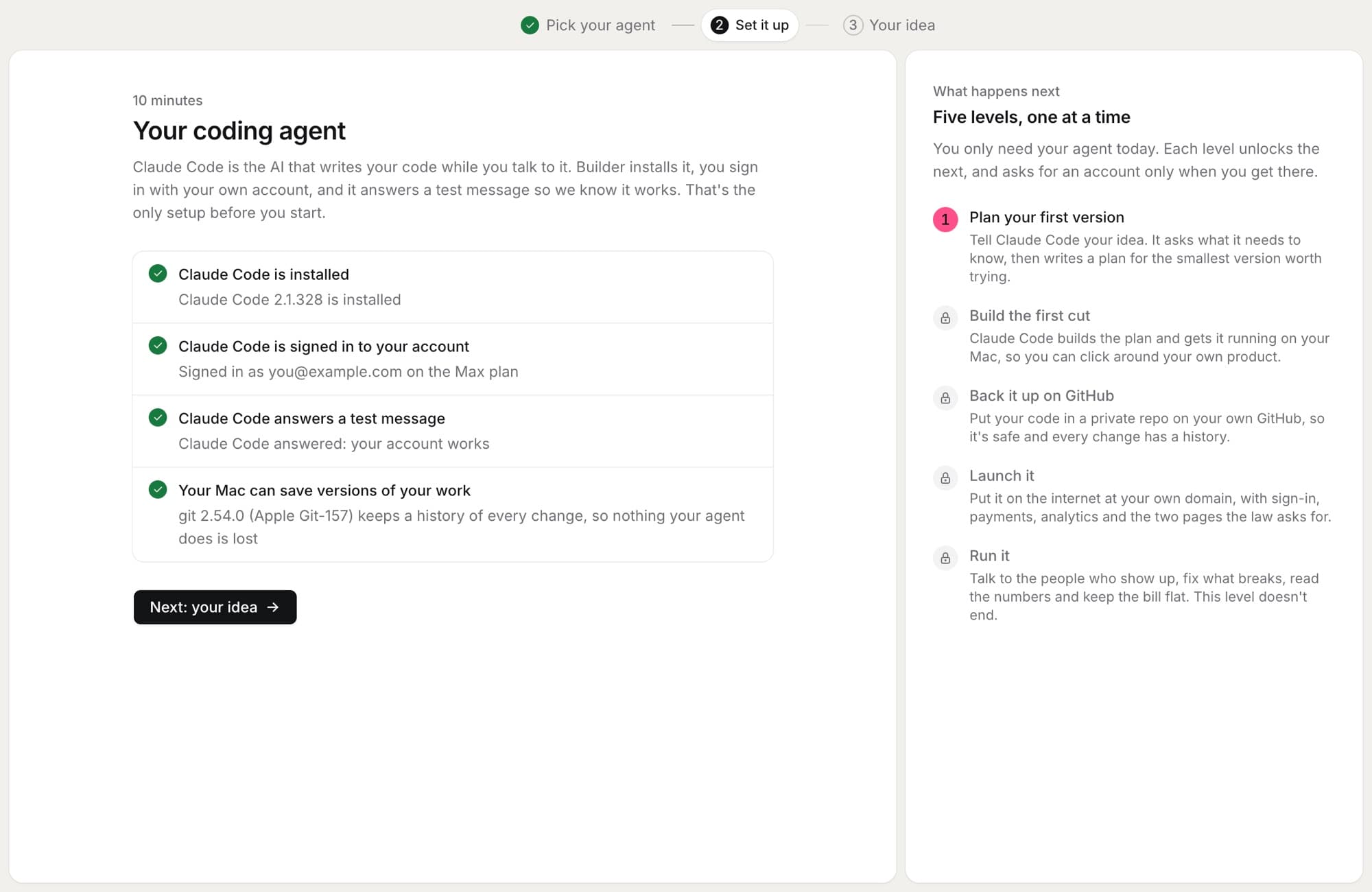
Three steps, then you're talking about your idea
- 1
Pick your agent
Claude Code or Codex, under the subscription you already have.
- 2
Builder sets it up
It installs the agent, you sign in, and it checks it answers. If anything fails, it says what to click.
- 3
Say your idea
What it's called, what it does in a line, and who it's for. Then you're in your project's chat.
Level up as you go
Five levels, from your first plan to your first customer
Each level is one clear thing to do, and finishing it unlocks the next. You only set up an account when a level needs it, so nothing gets in the way of seeing your idea work.
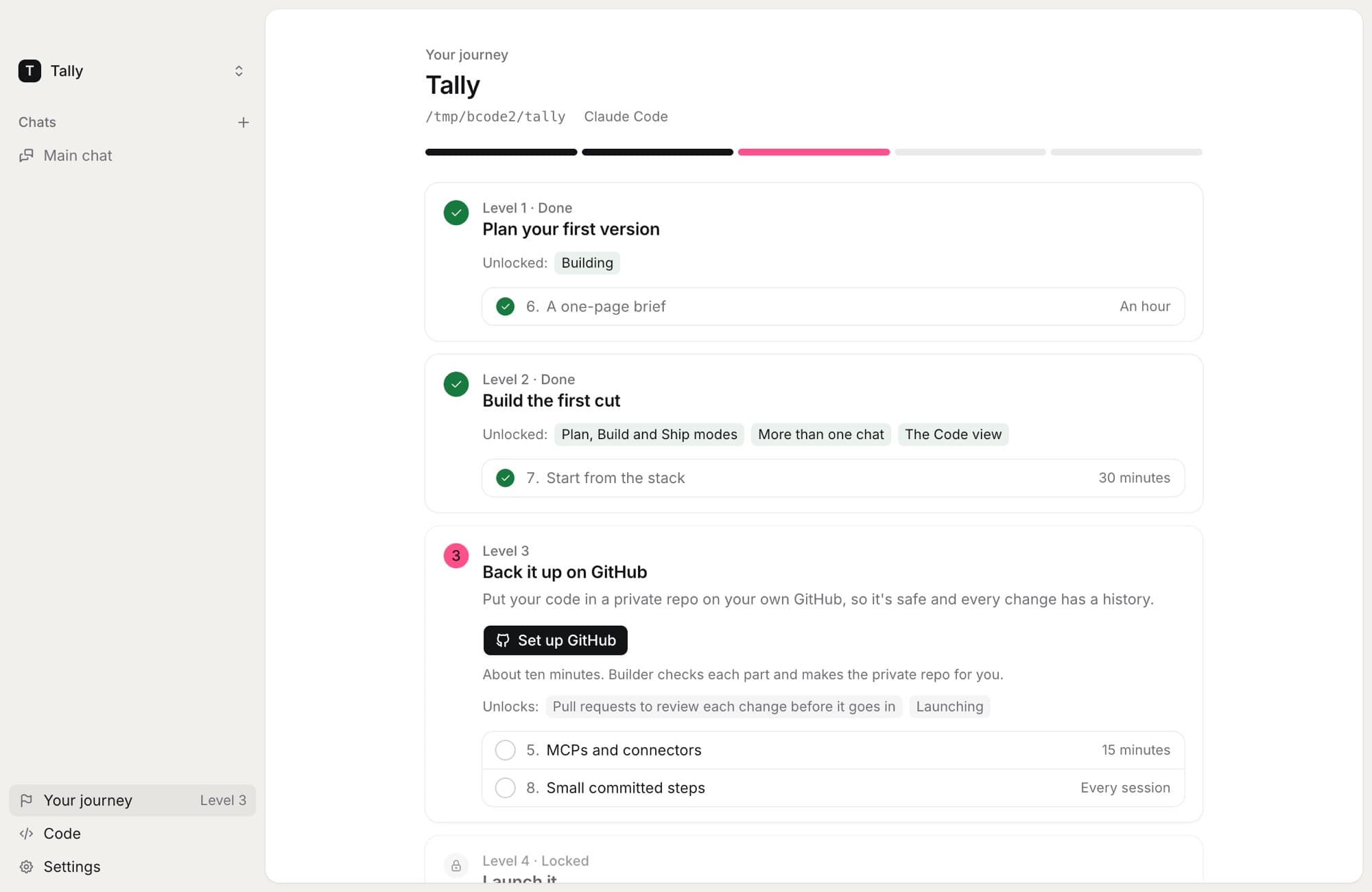
Level 1
Plan your first version
Tell your agent your idea. It asks what it needs to know, then writes a plan for the smallest version worth trying.
Unlocks: Building
Level 2
Build the first cut
Press Build it. Your agent builds the plan and starts it on your Mac, so you can click around your own product.
Unlocks: Plan, Build and Ship modes, more chats, your code
Level 3
Back it up on GitHub
Your code goes in a private repo on your own GitHub, safe, with a history of every change.
Unlocks: Reviewing each change, launching
Level 4
Launch it
On the internet at your own domain, with sign-in, payments, analytics and the two pages the law asks for.
Unlocks: Running it every week
Level 5
Run it
Talk to the people who show up, fix what breaks, read the numbers and keep the bill flat.
Questions
Do I need to know how to code?
No. You describe what you want in plain words and your agent writes the code. Builder shows what it's doing as it goes, asks you before it runs anything, and explains what to check. You'll pick up how it works along the way.
What do I need to start?
A Mac on macOS 12 or later, and a Claude Pro or ChatGPT Plus subscription (or higher) for the agent. Builder installs the agent and checks it works. That's all the setup there is until you decide to launch.
When do GitHub, Google Cloud and a domain come in?
Only when you get there. GitHub is level 3, once your first version is running and worth keeping safe. Google Cloud and a domain are level 4, when you decide to put it on the internet. Builder sets each one up with you and checks it worked.
Is it really free?
Yes. There's no account with us, no trial and no paid plan. Builder runs your own Claude Code or Codex under your own subscription, so the only bills are for services you choose, and the guide says what each one costs.
What unlocks as I go?
At first you just talk and plan, and one button builds the plan. Once your first version is running you unlock Plan, Build and Ship modes (ask without changing anything, build a change for you to review, or build it and put it straight in), more than one chat, and a view of your code. Then GitHub, launching, and running it every week.
Does it see my code, keys or passwords?
No. You sign in to Claude, GitHub and Google Cloud yourself, in Terminal or your browser. Builder only reads whether each tool says you're signed in. Your code stays on your Mac, and on your GitHub once you add it.
Does it send anything to Pagebee?
Only if you turn on usage counts in Settings, and they're off until you do. Then it sends event names, like a level being finished, and never a project name, a path, a prompt or anything you type.
Is there a Windows version?
Not yet. On Windows, follow the guide on the site: every step has instructions for it.
Your idea, running on your Mac, this afternoon
Free, with no account. Updates itself.